Why Your IRL Stream Keeps Dropping — and How to Fix Each Cause
The five most common reasons an IRL or mobile stream drops — high bitrate, single connection, thermal throttling, no fallback, and skipping the test — and the fix for each.
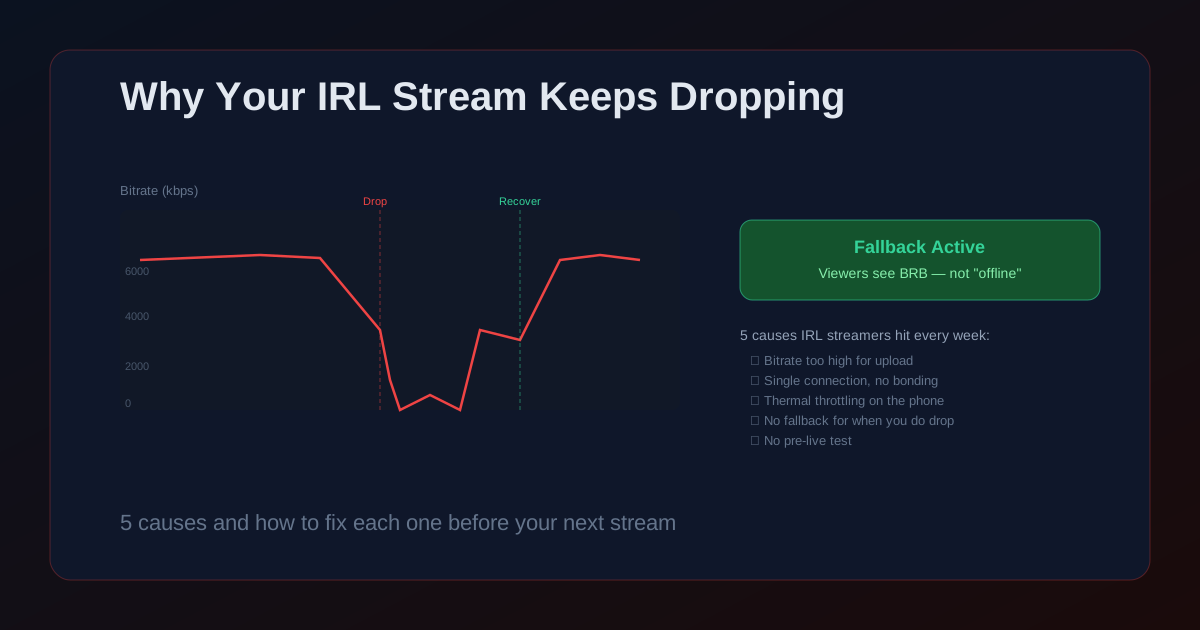
A stream drop during IRL is the worst kind of technical failure: it happens in public, in front of your audience, and there is usually nothing to do mid-walk except watch the reconnect spinner.
Most drops are not random. They come from one of a handful of predictable causes — and each one has a specific fix. Work through this list before your next stream and you will eliminate most of what has been dropping you.
Cause 1: Your bitrate is higher than your upload can handle
This is the most common cause of drops and the easiest to fix. Your encoder is trying to push more data per second than your network can reliably deliver. Cellular speeds advertised as "50 Mbps download" often deliver 8–15 Mbps upload under normal conditions — and in a crowded venue, that can drop to 2–3 Mbps.
Fix: run a speed test in the actual location you plan to stream from, on the same carrier and device. Take the upload result and set your encoding bitrate to 60% of that number. If your upload measures 8 Mbps, cap the stream at 4–5 Mbps. This leaves headroom for retransmissions and network fluctuation.
- Advertised carrier speeds are peak conditions on a clear tower. Budget for congested venues.
- 720p30 at 3–4 Mbps looks better than 1080p60 at the same bitrate on a congested link.
- Run the speed test at the same time of day as your planned stream — cellular congestion is time-dependent.
Cause 2: You are relying on one connection
A single LTE connection handles a studio stream fine. Walking through a crowd with 5,000 people on the same cell tower is a different problem. Cell bands get saturated, your signal drops as you move, and one bad moment on the only link you have means a visible drop.
SRTLA bonding solves this by sending your stream across multiple connections simultaneously. With WiFi and cellular both active, if your signal drops on one link, the other already has packets in flight — the stream keeps going without a reconnect. StreamIngest provides SRTLA ingest endpoints for this use case. Your encoder (Moblin or IRL Pro) splits the stream across both links; StreamIngest reassembles it on the server.
- Bonding is not failover — both links are active at the same time, not used as backup for each other.
- Two connections on different carriers are more reliable than two connections on the same carrier.
- OBS does not support SRTLA natively. Moblin and IRL Pro do.
Cause 3: Your phone is thermally throttling mid-stream
Sustained video encoding generates heat. After 20–40 minutes, most phones reduce CPU and GPU clock speeds to protect the hardware. The encoder can no longer keep up with the target bitrate, frames get dropped, and the stream stutters or disconnects — even if the network is perfectly fine.
Signs of throttling: the bitrate collapses at a consistent time interval after starting, the phone is hot to the touch, and reconnecting restores bitrate until it collapses again at roughly the same point. Fix: reduce resolution and bitrate to lower the thermal load, give the phone airflow (don't pocket it), and bring a clip-on cooling fan for streams over an hour.
- The thermal limit hits the encoder before it hits the network — check encoder CPU usage in your app stats.
- Phone cases trap heat. Remove the case during long streams if the device runs hot.
- Lower frame rate (30fps vs 60fps) reduces encoder load more than lowering resolution alone.
Cause 4: You have no plan for when you do drop
Some drops are unavoidable. Dead zones exist, buildings block signals, and carriers have outages. The question is what your viewers see when it happens. Without a fallback, they see "Channel is offline" and leave — and most do not come back.
StreamIngest plays a custom fallback video the moment your encoder disconnects. Your viewers see a branded BRB screen. The stream technically never goes offline on Twitch, YouTube, or Kick, because StreamIngest keeps delivering video — just from a pre-recorded source instead of your live feed. When you reconnect, the live signal resumes automatically. Upload your fallback once in StreamIngest Settings and it stays armed for every stream.
- A fallback video does not prevent drops — it hides the dead time so viewers stay.
- The platform sees a continuous ingest signal, so your "stream went offline" notification never fires.
- Upload once in StreamIngest Settings → Fallback Video. It activates automatically on every future disconnect.
Cause 5: You are not testing before going live
Many drops that happen on live streams could have been caught in a 5-minute private test. The test is where you find out your bitrate is too high, your Stream ID expired, or your phone throttles at the 15-minute mark. By the time you find out in front of your audience, the damage is done.
Run a private or unlisted stream for 5–10 minutes in the same location and on the same network type you will use for the real event. Watch the stats the whole time: stable bitrate, no reconnects, encoder temperature within limits. If anything looks wrong in the test, fix it before the real stream.
Pre-Flight Checklist
- Run a speed test at the streaming location — not at home — and set bitrate to 60% of the upload result.
- If dropping in crowds, enable SRTLA bonding across two connections in StreamIngest.
- Test for at least 10 minutes in the actual location before going live.
- Upload a fallback video to StreamIngest Settings so drops show a BRB screen instead of "offline".
- Monitor the stats panel during the first 5 minutes of the real stream before moving.
Common Issues
Stream is stable at home but drops constantly on location
Home and venue network conditions are completely different. On location, run a fresh speed test and lower bitrate to match. If you are in a dense venue, try a different carrier or enable SRTLA bonding across two SIMs to spread the load.
Stream drops at the same interval every time (every 20–30 minutes)
This is the thermal throttling pattern. The encoder keeps up initially, then fails as the phone heats up. Reduce bitrate and resolution, ensure the phone has airflow, and consider a cooling accessory for long streams.
Reconnect is fast but the platform still shows the stream as offline
Platforms log a disconnect the moment the ingest signal stops — even for 2 seconds. A StreamIngest fallback video prevents this by keeping the ingest continuous. Upload one in Settings so the platform never sees a gap.
FAQ
No, but it reduces them significantly. If all bonded connections fail at the same moment — entering a building with no signal on any carrier — the stream still drops. Bonding is a probability problem: multiple independent links rarely fail simultaneously, so the stream survives most single-link failures.
Consistency matters more than the average speed. A connection that averages 8 Mbps but drops to 1 Mbps every 30 seconds will drop more than one that holds steady at 3 Mbps. At a stable 3 Mbps, 720p30 at 2.5 Mbps works reliably with headroom for retransmissions.
SRT. RTMP stalls the entire stream when a packet is lost because it runs over TCP. SRT retransmits only the lost packet and keeps everything else moving. On a mobile connection with any variability, SRT handles hiccups that would cause visible drops with RTMP.
Stop apologizing to chat for drops.
StreamIngest combines SRTLA bonding, automatic fallback video, and real-time connection stats. Your stream stays live even when your connection doesn't.